
Freelancer App Review – My Honest Experience Using This Freelancing Platform
Introduction
I’ve been curious about the Freelancer app for a while now. Like most people who are trying to earn money online, I kept hearing the name pop up in conversations, YouTube videos, and blog posts. So one day I just decided — let me actually test it myself and write an honest Freelancer app review instead of relying on what others say.
I personally tested the platform over several weeks, explored its features, went through the signup process, placed bids on projects, and tried to understand how the payment system works. This Freelancer app review is based entirely on my own experience — not copied from somewhere else.
If you’re wondering whether it’s worth your time, keep reading. I’ll share everything I found — the good, the frustrating, and the surprising.
What Is Freelancer App?
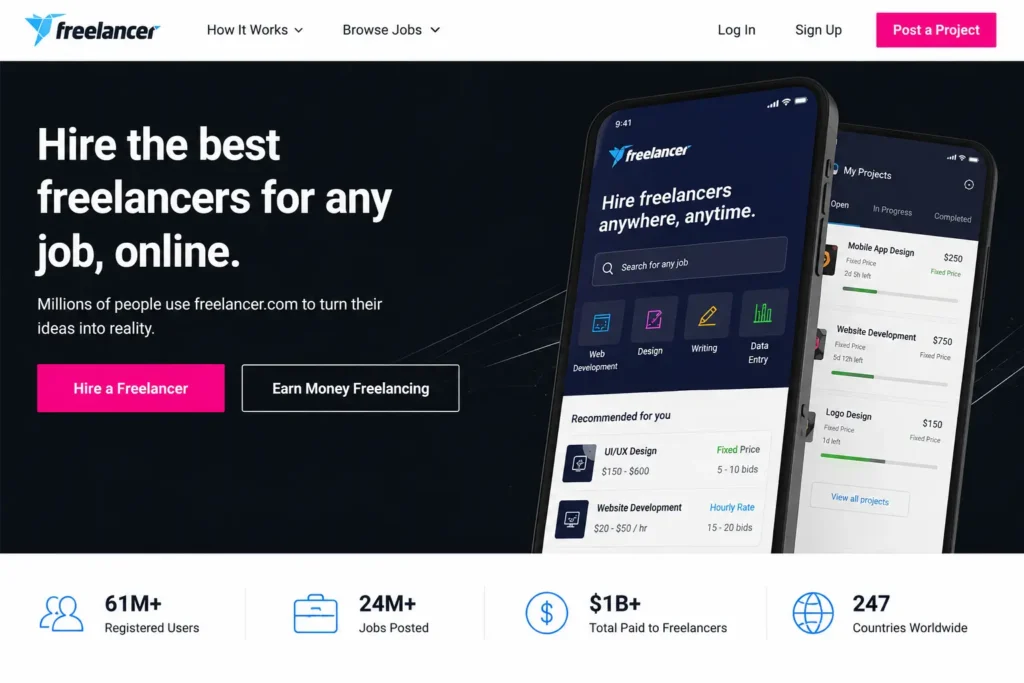
Freelancer.com is one of the oldest and largest freelancing marketplaces in the world. It connects businesses and individuals (called “clients”) with skilled freelancers who can do everything from graphic design and writing to web development and data entry. The Freelancer app is simply the mobile version of this platform, available for both Android and iOS.
In my experience, the app is pretty much a full-featured version of the desktop site. You can browse projects, send proposals, chat with clients, and track your earnings all from your phone. That’s actually one thing I liked about it right away.
First Impressions After Installing the App
When I first downloaded the app, it felt clean and professional. The onboarding screens were simple and didn’t overwhelm me with too much information at once. Installation took less than a minute, and I was on the signup screen pretty quickly.
I noticed the app asked me to choose my skills early on — which I thought was a nice touch. It felt like the platform was already trying to match me to the right kind of work before I even finished setting up.
User Interface and Navigation Experience
Honestly, the UI is decent but not exceptional. It has a bottom navigation bar with tabs for jobs, contests, messages, and your profile. Navigation is straightforward, but I did feel the app could use a visual refresh. Some screens felt a bit dated compared to newer platforms like Upwork or Fiverr.
That said, finding projects and accessing my dashboard was never confusing. Once you get used to where things are, the experience becomes smooth enough.
Freelancer App Review – My Personal Experience
Creating My Account
Profile Setup Experience
Setting up my profile was straightforward. I added a profile photo, wrote a short bio, and listed my skills. The app guided me step by step, which was helpful. What I liked most about this stage was that it didn’t feel rushed — I could take my time.
One thing I’d suggest: spend time on your bio. I noticed that profiles with detailed bios tend to get more attention from clients. So put in the effort early.
Verification Process
The verification process involved confirming my email and phone number. There’s also an optional identity verification step where you submit a government-issued ID. I went through this to build more trust with potential clients. It wasn’t instant — it took about 24 hours for my verification to show up on my profile — but overall, I felt it was worth doing.
This step also made me feel more confident that Freelancer.com review processes are taken seriously, because at least they’re trying to keep the platform legitimate.
How the Bidding System Works
The Freelancer bidding system is the heart of how you get work here. When a client posts a project, freelancers — including you — can send bids. A bid is basically your proposal, including how much you’d charge and a short description of your approach.
Every account comes with a limited number of free bids per month. I personally tested this and found that the free plan gives you only 8 bids monthly, which goes fast. If you want more, you’ll need to upgrade your membership.
What I Liked About Bidding
What I liked most about the bidding system is how transparent it is. You can see how many other freelancers have already bid on a project, which helps you decide whether it’s worth your bid. I also liked that I could customize each bid with a personal message — that personal touch really helped me stand out.
Things That Felt Competitive
The competition is fierce, I won’t lie. Some projects had over 50 bids within an hour of being posted. As someone writing a Freelancer app review for beginners, I want to be honest: early on, you might find it hard to win projects simply because you have no reviews yet.
My honest advice? Start with smaller, less competitive projects. Build your reviews. Then slowly move up.
Freelancer App Features I Personally Found Useful
Project Categories
One of the strongest parts of this freelancing app review is the sheer variety of work available. I found projects in categories like:
- Website & Software Development
- Writing & Content Creation
- Graphic Design & Multimedia
- Data Entry & Admin Support
- Digital Marketing & SEO
Whether you’re a developer, a writer, a designer, or even a virtual assistant, there’s something here for you. I noticed the platform especially had a lot of data entry and writing jobs, which is great news for beginners.
Payment System
The Freelancer payment system uses a milestone-based approach for fixed-price projects. The client deposits money into escrow, and you receive it once the milestone is completed and approved. For hourly projects, payments are processed weekly based on tracked hours.
I felt this system offers a good layer of security. Knowing the money is in escrow before I start work gives me peace of mind.
Withdrawal Methods
In my experience, Freelancer supports several withdrawal methods including PayPal, bank transfer (wire transfer), Skrill, and even local payment options depending on your country. For Indian users (Freelancer.in), NEFT bank transfer is also supported, which is a big plus.
Withdrawals are not instant — they usually take 3–7 business days depending on the method. But I never had a failed withdrawal, so the Freelancer payment system feels reliable enough.
Payment Security
One concern I had before starting was: is Freelancer app safe for payments? After using it for a while, I can say — yes, the escrow system genuinely protects you. I’d still recommend never working outside the platform, because that’s where scammers try to lure you.
Client Communication Tools
The built-in messaging system works smoothly on both the app and the website. I could share files, send voice notes, and even do video calls through the platform. This was actually more feature-rich than I expected.
I also liked that all communication stays recorded inside the platform, which protects you if there’s ever a dispute.
Pros and Cons of Freelancer App
Things I Personally Liked
- Huge variety of project categories and work types
- Secure escrow-based payment system
- Easy-to-use mobile app with full desktop features
- Multiple withdrawal options including local bank transfer for India
- Active client base posting new projects daily
- Contest feature lets you show off skills without bidding
Things That Could Be Improved
- The free plan’s 8 bids/month limit is very restrictive
- Platform fees can feel high (up to 10% on earnings)
- Heavy competition makes it harder for new freelancers
- Some clients post unrealistically low-budget projects
- UI design feels a bit outdated compared to competitors
- Spam bids from low-quality freelancers can be discouraging
Is Freelancer App Legit or Scam?
My Honest Opinion About Trust and Safety
This is probably the most common question I see online — is Freelancer legit? Based on my personal experience, yes, Freelancer is a legitimate platform. It has been around since 2009, operates globally, and has paid out billions of dollars to freelancers worldwide.
That said, like any large marketplace, it does have some bad actors — fake clients, scammy projects, and occasional spam. I personally encountered a couple of suspicious project listings during my time there. My advice is to always check a client’s payment verification status, reviews, and history before bidding.
Is Freelancer app safe overall? I’d say yes — as long as you use common sense and stick to the platform’s rules.
Who Should Use Freelancer App?
Best for Beginners?
Can beginners use Freelancer? Absolutely — but with realistic expectations. The best freelancing app for beginners depends on your skill level and patience. If you’re just starting out and are willing to put in effort building your profile and reviews, Freelancer is a solid choice. The variety of entry-level work is genuinely good.
I’d recommend beginners focus on data entry, simple writing, or basic design projects first. Win a few small jobs, collect reviews, and then aim higher.
Best for Skilled Freelancers?
For experienced freelancers, the Freelancer platform review is even more positive. If you already have a strong portfolio and some online work history, you’ll find it much easier to win higher-paying projects. Skilled developers, designers, and digital marketers can earn very well here.
My experience using Freelancer app taught me that top-rated freelancers on this platform can command premium rates — especially once they’ve built a reputation.
Freelancer App Review – Final Verdict
After everything I’ve been through on this platform — the wins, the losses, the learning — I can say this Freelancer app review comes from a place of genuine experience. It’s not a perfect platform, but it’s a powerful one.
The Freelancer earning review is mixed: beginners may struggle initially, but with patience and consistency, real money can be made. The Freelancer payment system is trustworthy, the project variety is impressive, and the mobile app makes it easy to stay connected with clients on the go.
If you’re seriously wondering how to earn money on Freelancer — the answer is: start small, be consistent, write personalized bids, and never stop improving your profile.
Would I Personally Recommend It?
Yes — I would personally recommend the Freelancer app, especially if you’re determined and patient. It’s not going to make you rich overnight. But if you treat it like a real job, you can build a sustainable freelance income. I’ve seen Freelancer app payment proof from people in my own network who earn consistently from this platform.
My final Freelancer app review score? I’d give it a solid 7.5 out of 10. Great potential, some limitations, but overall one of the most legitimate freelancing platforms out there.
Conclusion
This Freelancer app review was written after weeks of personal exploration, and I hope it gave you a real, unfiltered look at what the platform is actually like. Whether you’re a student looking for your first online gig, a professional wanting extra income, or a full-time freelancer searching for new clients — the Freelancer app deserves your attention.
Just go in with the right mindset, invest time in your profile, and be strategic with your bids. The platform rewards those who put in genuine effort.
Ready to try it out? Head over to https://www.freelancer.in/ and see for yourself. And if you found this Freelancer app review helpful, feel free to share it with someone who’s thinking about freelancing!