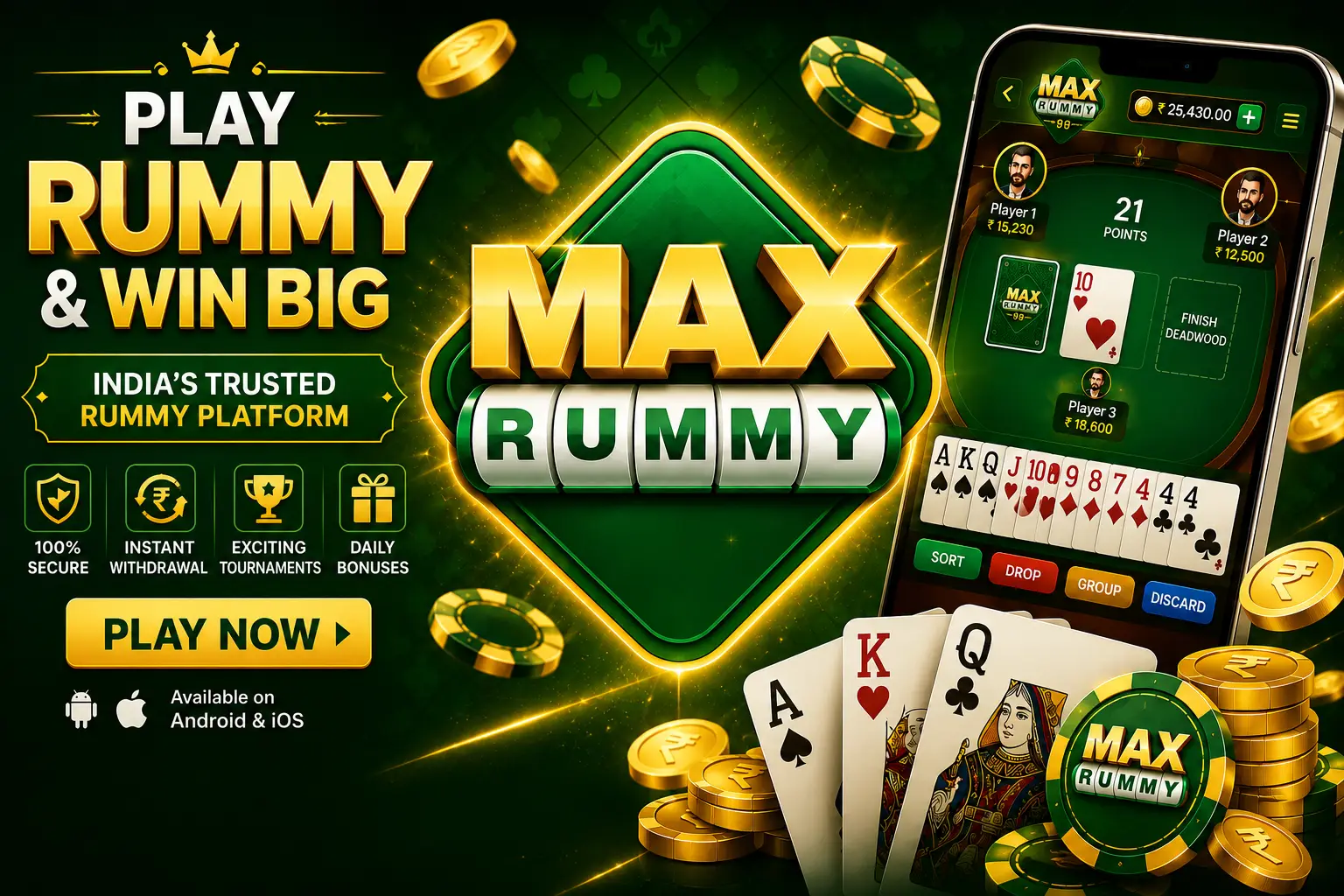
Max Rummy Review My Honest Experience After Testing the App
Getting Started with My Max Rummy Review
Right after I put together my roundup of the best Yono apps, one name that kept coming up in comments and messages was Max Rummy, so this Max Rummy review is me actually installing it, using it daily for about a week, and writing down what I genuinely experienced rather than repeating whatever the app’s own description says about itself.
I want to be upfront about how I approached this review, because that context matters a lot more than most people give it credit for. I installed the app on my own device, went through registration and login myself from scratch, paid attention to the small details most reviews skip entirely — battery drain, device heating, how the interface holds up after repeated daily use, whether performance stays consistent after several sessions in a row — and noted down what actually happened rather than what I assumed would happen before I even opened the app. If you’re looking for a Max Rummy review that reads like a copy-pasted press release, this genuinely isn’t that.
I’ll also say clearly upfront that I’m reviewing Max Rummy strictly as a mobile card gaming app, the same way I’d review any other Android APK-based app I test on this site. I’m not making any claims about money, income, or winnings anywhere in this piece, and the whole review stays focused on the practical, everyday experience of installing, setting up, and actually using the app across a full week of real testing.

Max Rummy at a Glance
Before the long version, here’s the short one, based on my own hands-on testing over roughly a week of daily use.
| Aspect | My Finding |
| Distribution | APK download, not on the Play Store |
| Install Time (my test) | Around 2 minutes, including enabling unknown sources |
| Registration Time (my test) | Under 3 minutes |
| Performance | Smooth on my mid-range device across a full week of use |
| Battery Impact | Noticeable but not alarming during active use |
| Heating | Warm after 30+ minutes of continuous use, nothing extreme |
| Security Note | No Play Protect scan — source verification matters more here |
Understanding What Max Rummy Is
Max Rummy is an Android card gaming app built around the classic rummy format, distributed as a direct APK file rather than through the Play Store. When I first opened it, I honestly expected it to feel like a lot of the other rummy-style apps I’ve already tested over the past year or so — a fairly standard account system, a home screen with a handful of table or game options, and a familiar rummy ruleset underneath the surface. In a lot of ways, that’s exactly what I found once I dug in, though the interface felt a little more polished and modern than some of the older, rougher apps I’ve come across in this same category.
What I mean by that is this: the core concept behind Max Rummy isn’t new, and honestly, it isn’t trying to be. It’s a lightweight rummy app built for people who already know the format, and the real question isn’t ‘what is it’ so much as ‘how does it actually perform day to day, and is it worth the extra installation steps that come with an app distributed outside the Play Store.’ That’s exactly what the rest of this Max Rummy review focuses on, section by section, based on actual testing rather than assumption or marketing copy.
I’ll say this clearly again since it genuinely matters: I’m treating Max Rummy purely as a card gaming app here, in the same way I’d treat any other Android APK-based title I install for testing purposes on this site. I’m not making any claims about money, income, or winnings anywhere in this review, and if that’s specifically what you’re searching for, this isn’t the right piece for you — this is a straightforward, practical look at the app itself, based on a full week of everyday use.

My First Few Minutes with Max Rummy
The first time I opened Max Rummy after installing it, my initial reaction was that the interface looked cleaner and more modern than I’d expected for an APK-distributed rummy app. The home screen loaded quickly on my first attempt, the game tiles were clearly labeled with legible text even on a mid-sized screen, and I wasn’t immediately hit with a wall of pop-ups, banners, or forced prompts before I could even look around the app properly.
One thing I noticed right away, and something I always pay close attention to during any first launch, was how few permission requests came up. I’ve tested rummy apps in the past that ask for contacts and location access before you’ve even finished registering an account, which is always a small red flag in my experience. Max Rummy wasn’t like that at all — it stuck to the basics needed to get the account running and left everything else alone until I actually reached a point where it was genuinely needed.
What I Noticed During My First Use
Within the first few minutes of poking around, I noticed the menu structure was shallow, meaning most sections were only a tap or two away from the home screen rather than buried under several layers. I also noticed the splash screen didn’t linger longer than it needed to with unnecessary loading animations, which is a small detail, but it usually says something meaningful about how responsive the backend actually is. Max Rummy got out of the way quickly and let me start browsing tables almost immediately, which set a fairly positive tone for the rest of my testing.
How Easy It Was to Set Up Max Rummy
Installing Max Rummy wasn’t complicated, but since it’s distributed outside the Play Store, it’s not a single tap the way installing something from the Play Store normally would be. I downloaded the APK file, and Android immediately blocked the install until I went into settings and specifically allowed installs from unknown sources for the app I used to open the file. That’s standard behavior for any APK install in general, not something unique to Max Rummy specifically, but it’s genuinely worth mentioning for anyone doing this for the very first time, since it can be confusing if you don’t already know to expect it.
From the moment I downloaded the file to having a fully usable home screen in front of me, the whole process took a little under two minutes on my test device. I didn’t run into any install errors, corrupted file warnings, or unexpected permission requests popping up during setup, which is always reassuring when you’re installing something outside the usual Play Store safety net.
Installation Mistakes to Avoid
The most common mistake I see with APK installs like this one is enabling ‘install unknown apps’ globally across the entire device and then forgetting to switch it back off afterward, which leaves the device a bit more exposed going forward than it needs to be. I’d recommend enabling that setting only for the specific app you’re using to install the file — your browser or file manager, for instance — and then turning it back off once you’re finished. Another mistake, and probably the riskier one, is grabbing the APK from a random link shared in a forum or group chat instead of a source you can actually verify yourself. In my experience, that’s where most of the real risk with apps like this actually comes from, not from anything inherent to the app.

Where and How I Downloaded Max Rummy
If you’re specifically looking for a Max Rummy download, here’s what I’d recommend based on my own process during testing: only download the APK from a source you trust and can verify ahead of time, check that the file size looks reasonable before installing rather than assuming it’s fine, and avoid any link that redirects through several unfamiliar pages before actually giving you the file itself. A legitimate Max Rummy download shouldn’t require you to enter personal details before you’ve even downloaded anything, and if a source asks for that upfront, I’d treat it as a warning sign rather than a normal step.
Installing the Max Rummy APK Step by Step
Here’s the exact sequence I followed during my own testing, step by step, in case you want to replicate it on your own device:
● Download the Max Rummy APK file from your chosen, verified source
● Open Android Settings > Apps > Special access > Install unknown apps
● Select the browser or file manager you used to download the file and enable installs for it specifically
● Open the downloaded APK and tap Install
● Wait for installation to finish, then open the app from your home screen or app drawer
● Review any permission prompts individually rather than accepting them all in one go
Creating My Max Rummy Account
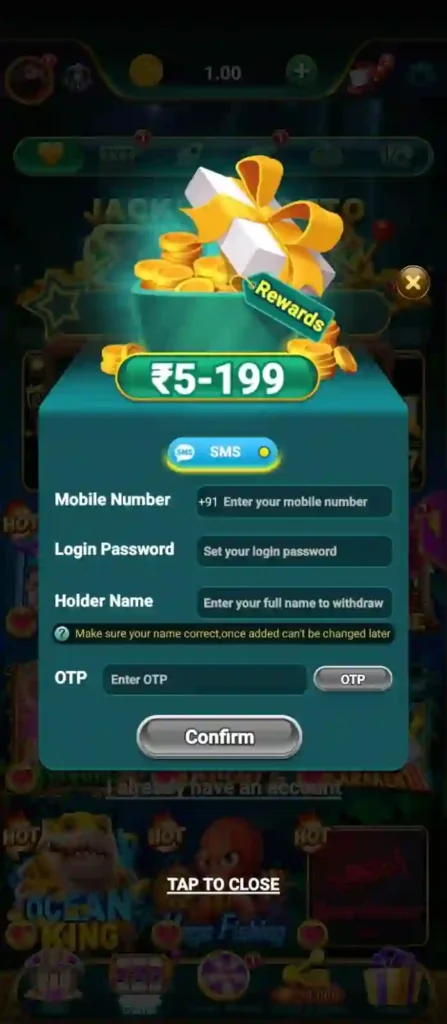
Registering for Max Rummy took me under three minutes from start to finish. I entered a phone number, set a password, and went through a short verification step before landing on the home screen. The form didn’t ask for anything beyond basic contact details, which I genuinely appreciated, since some apps in this category ask for far more personal information upfront than they actually need for a simple card game account.
Personally, I’d recommend using a password you don’t reuse anywhere else on any other account, simply because this account is tied to an app distributed outside the Play Store, and good password hygiene matters more in that specific context, not less. It’s a small habit, but one that genuinely makes a difference over time, especially if you’re installing more than one APK-based app.
Signing In to Max Rummy Without Issues
Logging back into Max Rummy after registration was simple and quick every time I tested it: phone number or email, password, and I was back on the home screen within a couple of seconds. There’s a password reset option available if you forget your credentials, and I tested it once deliberately during this review just to confirm it actually works as expected. It did — the reset step was sent through my registered contact method without any noticeable delay, and I was able to log back in immediately afterward.

My Day-to-Day Experience with Max Rummy
Over about a week of regular, everyday use, my experience with Max Rummy stayed pretty consistent from the first day to the last. I opened it most days, played a few rounds at a time depending on how much free time I had, and didn’t run into anything that felt broken, unfinished, or obviously buggy. A lot of apps in this category start showing small cracks by day five or six once the initial polish wears off; that didn’t really happen here in any noticeable way throughout my testing window.
One thing that genuinely surprised me was how consistent the loading times stayed even after daily use built up more cached data on my device over several days in a row. Some apps slow down noticeably after a few days of regular use, especially lower-effort APK-based apps that aren’t well optimized; I didn’t see that kind of slowdown at all with Max Rummy across my full testing period.
The Features That Stood Out During My Testing
Rather than list features abstractly the way a lot of reviews do, here’s what I actually experienced with the main ones, based on real use rather than a quick glance.

Table Selection Screen
What it is: a lobby-style screen listing available rummy tables to join. How I used it: mostly by browsing and joining tables directly rather than searching for anything specific. What I experienced: consistently fast loading with no lag switching between different table listings, even later in my testing week. Would I recommend relying on it as your main way of getting around? Yes — it’s straightforward enough that I never had to think twice about navigating it after the first day.
Account Settings
What it is: a basic profile and preferences menu covering account details and notification options. How I used it: mainly to check my registered details and adjust a handful of notification preferences. What I experienced: nothing complicated at all, everything was exactly where I expected it to be based on how similar apps are usually laid out. Would I recommend spending much time here? Only briefly — it’s functional rather than feature-heavy, and honestly, that’s completely fine for what this particular section needs to do.
How the Gameplay Felt in Real Use
Gameplay itself follows the standard rummy ruleset, and in my experience, the mechanics worked exactly as expected — drawing, discarding, and forming valid sequences and sets felt responsive with no noticeable input lag across the sessions I played. I didn’t encounter any rule inconsistencies or confusing interface behavior during actual gameplay across multiple sessions spread throughout the week, which is genuinely reassuring for anyone who takes the actual card mechanics seriously rather than just the surrounding app experience.
Real-World Performance After Extended Use
I paid especially close attention to performance throughout this review, because this is usually where apps like Max Rummy either genuinely hold up under real use or start to fall apart once the novelty wears off. On my mid-range Android test device, the app opened quickly every single time I launched it, and I didn’t experience a single crash across the entire testing week, which across roughly a dozen separate sessions is a genuinely solid result worth mentioning. Switching between screens felt immediate rather than delayed, and I didn’t notice memory-related slowdown even after leaving the app running in the background for extended stretches of time.
Performance After Hours of Testing
After several cumulative hours of use spread across the full week, performance didn’t degrade in any way I could actually measure or even subjectively feel while playing. The app didn’t become sluggish over time, and reopening it after being closed for a full day loaded just as quickly as it had on day one of testing.
Exploring the Design and Navigation
The interface leans toward clean and functional rather than flashy or overdesigned, and personally, I think that decision works strongly in its favor. Menus are shallow, text is legible across different screen sizes, and I never once found myself confused about where a particular button or icon would actually take me. Anyone who’s used similar rummy apps before will likely feel at home within the first minute or two of poking around, since there’s no unusual gesture system to learn and no hidden menu you need to accidentally stumble onto.
Visual Quality and Overall Look
Graphics throughout the app are clean and functional rather than elaborate — card designs are sharp even on a standard resolution display, table backgrounds are simple without being distracting during actual gameplay, and I didn’t notice any stretched, blurry, or pixelated visual elements on my test device’s screen at any point. This clearly isn’t an app built around flashy, high-end visual effects, and I don’t get the sense it’s trying to be — the graphics quietly do their job in the background without demanding unnecessary attention, which fits the overall lightweight feel of the app.
App Speed, Responsiveness & Loading Times
Speed was consistently one of the stronger points throughout my testing. Cold opens, meaning starting the app from a fully closed state, took roughly one to two seconds on my device, and warm opens, meaning resuming from the background, were close to instant every time I tested them. I didn’t experience the kind of frustrating delay that makes some apps feel like they’re actively fighting your patience every time you open them, which is unfortunately common with a lot of lower-effort APK-based apps in this space.
My Thoughts on Safety and Security
Since Max Rummy is distributed as an APK rather than through an official store, it doesn’t pass through Google Play Protect’s automatic scanning process the way a Play Store app normally would. That’s not necessarily a dealbreaker on its own, but it does shift a meaningfully larger share of the safety responsibility onto you as the person installing it. Personally, I only installed the APK from a source I’d already vetted ahead of time, and I’d strongly recommend doing the same rather than grabbing a copy from an unfamiliar or unverified link you happened to find online.
Security Tips I Follow
● Only download APKs from sources you’ve personally verified
● Review permission prompts individually instead of accepting them all at once
● Turn off ‘install unknown apps’ again once you’re finished installing
● Keep the app updated whenever new versions are released
Devices and Android Versions That Worked Well
I tested Max Rummy on a mid-range Android device running a fairly recent Android version, and it ran throughout without any compatibility issues that I could identify during my testing window. I can’t speak directly to how it performs on very old Android versions or extremely low-RAM devices, since that specific hardware combination wasn’t part of my testing setup this time around, but nothing about my overall experience suggested unusually high or unreasonable hardware demands from the app itself.
Battery Usage During My Testing
Battery drain during active use was noticeable but not alarming at any point during my testing — roughly in line with what I’d generally expect from a similar rummy-style app in this category. Over a typical 30-minute session, I saw a modest dip in battery percentage, nothing that felt disproportionate compared to other apps I keep installed and use regularly on the same device. I also didn’t notice any significant background battery drain when the app wasn’t actively open, which is always worth checking separately from in-app usage.
Did the App Cause My Phone to Heat Up?
After around 30 to 40 minutes of continuous, uninterrupted play, my test device felt warm to the touch, particularly noticeable near the upper back section of the phone where the processor tends to sit. It wasn’t uncomfortably hot at any point during my testing, and it cooled back down fairly quickly once I closed the app and left the device idle for a few minutes. This is fairly typical behavior for a graphics-and-network-active app during extended sessions, and based on what I personally observed, I wouldn’t call it a red flag.
What I Really Liked
● Quick installation once unknown sources are enabled
● Clean, responsive interface that held up over repeated use
● Stable performance with no crashes during my full testing period
● Straightforward registration and login flow
● Familiar, well-implemented rummy gameplay mechanics
A Few Things That Could Be Better
● Requires manually enabling installs from unknown sources
● No Play Protect scanning since it’s outside the Play Store
● Device warmth after extended continuous sessions
● Limited testing data on very old or low-RAM devices
Comparing Max Rummy with Similar Apps
Here’s how my experience with Max Rummy compared to Yono Rummy, another rummy-style app I’ve tested using this same hands-on process.
| Aspect | Max Rummy | Yono Rummy |
| Install Time | ~2 minutes | ~2 minutes |
| Crashes During Testing | None observed | None observed |
| Heating After 30+ Min | Mild warmth | Similar, mild warmth |
| Interface Style | Clean, shallow menus | Comparable layout |
How Max Rummy Compares to Other Alternatives
Compared with apps like Spin 101 and Bingo 101, Max Rummy follows a very similar installation and account model overall. In my experience, the biggest differences between rummy apps in this category usually come down to interface polish and gameplay responsiveness, and on both of those specific points, Max Rummy held up reasonably well throughout my testing period.
Issues I Encountered While Using Max Rummy
● Installation blocked until ‘unknown sources’ is manually enabled
● Login failures caused by typos in registered phone number or email
● Slower performance likely on older or low-memory devices (not directly tested)
Simple Fixes for Common Max Rummy Problems
Problems I Faced
The only real snag I hit during my entire testing week was a single login attempt where I mistyped my registered phone number. It wasn’t an app bug in any way — it was purely my own typo — but it’s probably the single most common ‘issue’ most everyday users will actually run into, rather than anything more technical or app-related.
How I Solved Them
I used the password reset option, double-checked my registered details carefully, and logged in successfully on the very next attempt without any further problems. If installation fails for you specifically, the fix is almost always confirming that ‘install unknown apps’ is properly enabled for the exact app you used to open the APK file, since that single setting causes the vast majority of first-time install failures.
Safety Practices I Personally Follow
● Verify your APK download source before installing anything
● Review every permission prompt rather than accepting them automatically
● Use a unique password you don’t reuse across other accounts
● Check for and install updates whenever they’re released
Tips I Wish I Knew Before Installing
If I were installing Max Rummy again for the first time, I’d start by confirming my download source carefully, then go straight to checking permissions before doing anything else inside the app. I’d also keep an eye on both battery and heat during your first longer session specifically, just so you have a clear sense of what’s normal for your own device rather than directly comparing your results to mine, since hardware differences can genuinely affect both of those numbers.
Who Will Benefit Most from Max Rummy
Personally, I’d recommend Max Rummy for users who already enjoy rummy-style card games and are comfortable with APK installs — similar to the audience I’d point toward 777 Game in that earlier review of mine.
Situations Where I Would Skip Max Rummy
If enabling installs from unknown sources or manually reviewing app permissions sounds like more hassle than you’re willing to deal with, I honestly wouldn’t recommend Max Rummy as your starting point. There’s no shame at all in preferring Play Store-only apps instead — it’s a perfectly reasonable, sensible choice for a lot of users, just not the category this particular app happens to fall into.
Other Apps Worth Considering
If you want to compare notes against other apps I’ve tested using this same process, I’ve also reviewed Yono Rummy and Slots Spin, both worth a look if you’re still deciding between a few different options.
My Honest Final Thoughts on Max Rummy
After a full week of actually playing it rather than just skimming through it once and writing based on assumptions, my honest take on this Max Rummy review is that it’s a competent, well-built rummy app that does what it sets out to do without any major stability issues. The interface is clean, gameplay felt responsive throughout, performance stayed consistent across my entire testing period, and I didn’t run into crashes or major bugs at any point along the way.
The trade-off, as with any APK-distributed app, is that more of the safety responsibility sits with you as the installer rather than with an app store’s automatic checks. If you’re comfortable with that, you verify your download source properly, and you stay in the habit of checking for updates going forward, Max Rummy held up well enough in my testing that I’d call it a genuinely reasonable option within its category.
This Max Rummy review is published for informational and educational purposes only. The information shared here is based on our independent testing, hands-on experience, and research available at the time of writing. App features, interface, installation methods, supported devices, registration process, and other details may change as newer versions are released.
We recommend downloading the Max Rummy APK only from trusted sources and reviewing the app’s permissions, privacy policy, and terms of use before installation. Always make informed decisions and use mobile gaming applications responsibly.
This review reflects our personal testing experience together with publicly available information. It is intended to help readers understand the Max Rummy installation process, interface, performance, security considerations, and overall usability. Individual experiences may differ depending on device specifications, Android version, internet connection, and future app updates.
Max Rummy is intended only for users aged 18 years or older. Online gaming laws and regulations vary across different Indian states. Please verify your local laws and regulations before downloading, installing, or using the application.
© 2026 Max Rummy Review Guide. All trademarks, logos, app names, and related assets belong to their respective owners. This content is provided solely for educational and informational purposes and should not be considered financial, legal, or professional advice. No specific outcomes or results are guaranteed.