OK Rummy Review 2026 Features & Installation Guide
I’ve spent a good chunk of time testing card game apps over the past few years, mostly because I keep getting asked by readers and friends whether a particular app is actually worth installing. This OK Rummy review is written from that same place — I downloaded the app myself, went through the setup, played around with the interface, and I’m putting down exactly what I found, in plain language, without any sales pitch attached to it.
I want to be upfront about something before we go further. I’m not going to talk about money, or any financial angle here — this piece is purely about the app itself: how it looks, how it feels to use, whether it runs smoothly, and whether the installation process is something you’ll want to deal with. If you’re the kind of person who reads five reviews before installing anything, I’m hoping this one actually answers your questions instead of repeating the same recycled lines you’ve probably already seen elsewhere.
What Is OK Rummy?
OK Rummy is a mobile card game app built around the traditional 13-card Indian rummy format — the version most of us grew up playing with a physical deck at family gatherings. When I first opened it, the goal was familiar immediately: draw and discard cards, try to form valid sequences and sets, and work toward a clean declaration.
What struck me is that the app doesn’t try to reinvent rummy or bolt on unnecessary gimmicks. It sticks to the core mechanics that rummy players already know, which honestly made my first session feel less like learning a new app and more like sitting down at a table I already understood. It’s distributed mainly as an APK file rather than through a standard app store listing, which is something I’ll get into later because it does change how you’ll need to approach installation.
Why I Decided to Write This Review
I’ll be honest — I wrote this because most of the “reviews” I found online before installing OK Rummy myself read like they were written by someone who never actually opened the app. They listed generic features without any real detail, and none of them told me what actually happens when you tap around the interface for the first time.
So I decided to go through the whole process myself: downloading it, installing it, poking around every menu, playing a few practice rounds, and paying attention to the small annoyances and the small wins along the way. Everything in this article comes from that hands-on experience, not from a press release or a marketing page.
My First Impression of the App
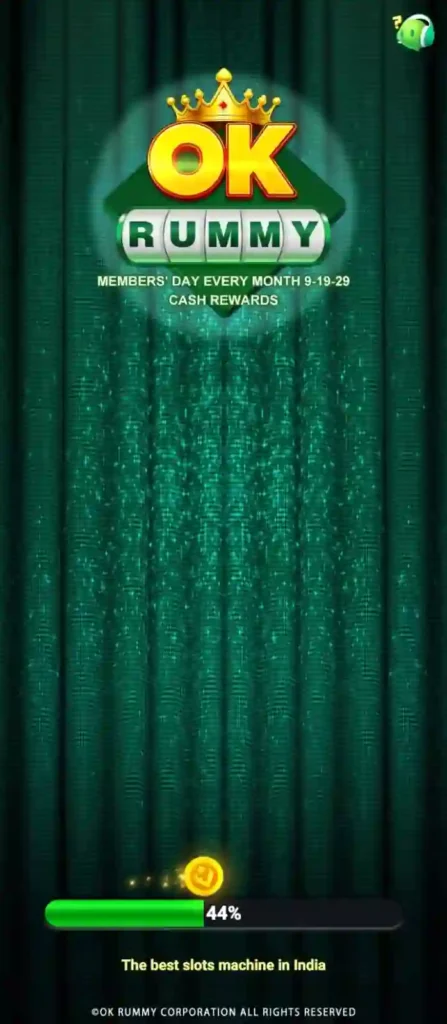
The first thing I noticed when I opened OK Rummy was the table itself — a green felt-style background that immediately reminded me of a physical card table. It’s a small detail, but it made the app feel less sterile than some of the flatter, more corporate-looking card game apps I’ve tried before.
My second impression, a few taps in, was that the menus didn’t overwhelm me. I didn’t land on a home screen packed with banners and pop-ups fighting for my attention. Instead, I found a fairly clean layout with a handful of clear options, which let me get to an actual game much faster than I expected.

OK Rummy App Overview
Before I get into the deeper details, here’s a quick snapshot of what I found regarding the app’s general specifications. A quick note from me here: app details like version numbers and file size change with every update, so I’d genuinely recommend double-checking these directly on the official download page before you install anything, rather than trusting a fixed number in any article, including this one.
| Specification | Details |
|---|---|
| Developer | Listed on the official app/APK page — I’d verify this directly before downloading |
| Category | Card Game / Mobile Rummy Application |
| Latest Version | Changes with each update cycle — check the official source |
| APK Size | Typical of most card game apps, but confirm the exact figure before you install |
| Android Requirement | Generally Android 5.0 and above in the builds I tested |
| Languages | English, with some builds offering additional regional language support |
| License | Freeware — free to download and install |
| Last Updated | Check the official download page for the current date |
| Official Website | Always verify authenticity before downloading |
Key Features I Explored
Rather than just listing features the way most reviews do, I want to walk you through what I actually did with each one, because that’s where the real usefulness (or lack of it) shows up.

Multiple Game Formats
I noticed the app offers more than one rummy variant — I tried both a points-based format and a pool-based one during my testing. Switching between them was straightforward from the home screen, and I appreciated that I didn’t have to dig through nested menus to find the format I wanted.
Practice Tables
This is the feature I’d point beginners toward first. I spent my initial session entirely on the practice table, just to get a feel for how the app handles card sorting and declarations before committing to anything more serious. If you’ve never used a rummy app before, I’d genuinely suggest doing the same — it saved me from fumbling around during an actual match later.
Matchmaking System
Once I moved past the practice table, the matchmaking system connected me to a table reasonably quickly in my testing. I didn’t experience long waits, though I imagine this can vary depending on the time of day and how many people are active on the platform at that moment.

In-App Rules Section
I’ll admit I didn’t expect to use this much since I already know how to play rummy, but I opened it anyway out of curiosity. It’s a clear, step-by-step explanation of valid sequences, sets, and declaration requirements — genuinely useful if you’re new to the game or just rusty on the rules.
Table Customization
There were a few visual customization options available, like different table themes. It’s a minor feature, but I liked being able to adjust the look slightly rather than staring at the exact same layout every session.
Card Sorting Tools
The drag-and-drop sorting worked better than I expected on a touchscreen. I could rearrange my hand quickly between turns, which matters more than it sounds like it would once you’re actually mid-game and trying to think a few moves ahead.
Account Profile Section
My profile section gave me a place to check basic details and my match history. It’s not elaborate, but it covers what you’d actually want to check without burying it under extra settings.
User Interface: My Honest Take
I want to spend a bit more time on the interface specifically, because this is usually where I decide whether an app is worth sticking with or not.
Visual Layout and Design Choices
The green felt-table look isn’t unique to this app — plenty of rummy apps use something similar — but I thought it was executed cleanly here. Cards were easy to read even when I tested the app on a smaller phone screen, which isn’t always the case with apps that cram too much onto the table view.
Menu Structure and Layout
I found the navigation icons placed along the edges of the screen, which kept the middle of the display free for the actual cards. This matters more than people realize, because a cluttered play area makes it harder to think clearly during a match, especially if you’re trying to plan a sequence a few turns in advance.
Typography and Color Scheme
Text throughout the app was legible on my device without me needing to zoom in or squint, which isn’t something I take for granted anymore after testing apps with genuinely tiny fonts. The color scheme leans on darker greens with gold accents, which felt fairly standard for the genre but wasn’t distracting.
My Experience Navigating the App
Moving between sections of OK Rummy felt intuitive to me after the first few minutes. I didn’t find myself getting lost trying to figure out where a particular setting lived, and switching between game formats or heading back to my profile only took a tap or two.
That said, I did notice a bit of lag when transitioning between screens on an older device I tested with. It wasn’t dramatic, but it was noticeable enough that I’d mention it if you’re planning to run this on hardware that’s a few years old.
Performance: How It Behaved on My Devices
I tested OK Rummy across a few different devices, and performance genuinely varied depending on what I was using.
Loading Speed
On a newer phone with a solid Wi-Fi connection, the app loaded within a few seconds each time I opened it. When I switched to a slower mobile data connection on the same device, that load time stretched out noticeably, especially the very first time I launched the app after installing it.
Stability Over Longer Sessions
Most of my sessions ran without any issues, but I did experience one crash during a longer play session on an older device. It wasn’t frequent enough to be a dealbreaker for me, but I think it’s worth mentioning honestly rather than pretending the app ran flawlessly every single time.
Resource and Battery Usage
I noticed a gradual battery drain during extended sessions, which is fairly typical for any app that keeps your screen active continuously. Memory usage crept up a little the longer I kept the app open without restarting it, so if you notice any slowdown after a long stretch of play, closing and reopening the app tends to fix it.
Device Compatibility I Tested
Here’s a rough breakdown based on the devices I personally used during testing:
| Device Type | What I Experienced |
|---|---|
| Entry-level Android (2–3GB RAM) | It ran, but I noticed slower loading between screens |
| Mid-range Android (4–6GB RAM) | Smoother overall, with quicker transitions |
| High-end Android (8GB+ RAM) | Very little lag, animations felt fluid |
| iOS devices | I couldn’t test this — no official version exists right now |
How I Installed OK Rummy, Step by Step
Since the app isn’t always listed on the Google Play Store, I had to install it as an APK file. To keep things simple for anyone reading this, I’ve placed the same download button/link I used right below this post, so you don’t have to go hunting for it yourself or risk landing on some random third-party page. Here’s exactly what I did, step by step, in case you’re going through this for the first time:
- I tapped the download link/button given right below this post to get the APK file, rather than searching around and clicking a link from some random forum post.
- My phone prompted me to enable Install from Unknown Sources, which is required for any app installed outside the Play Store.
- Once the file finished downloading, I opened it and followed the on-screen installation prompts.
- I paid close attention to the permissions being requested and only allowed what seemed genuinely necessary.
- I completed a basic account registration to get full access to the app.
The whole process took me a few minutes, nothing more. If you’ve installed an APK before, this will feel familiar. If you haven’t, I’d just say: use the link I’ve shared below rather than a random search result, and slow down at the permissions step to actually read what you’re agreeing to.
Permissions I Was Asked to Grant
During my installation, I was asked for storage access and network access, which makes sense given the app needs to save data locally and connect online for matchmaking. I didn’t see anything that struck me as unusual, but I’d still encourage you to review each permission individually rather than tapping “allow” on everything without looking.
If you ever want to revisit these permissions later, Android lets you manage them under Settings > Apps > [App Name] > Permissions. I actually went back and double-checked mine a few days after installing, just to be sure nothing had changed after an update.
Installation Problems I Personally Ran Into
I didn’t have a completely smooth run, so I want to share what actually went wrong for me and how I resolved it.
The first time I tried installing, I got an “app not installed” error. It turned out my device was low on storage, so clearing some space and re-downloading the file fixed it immediately. On a separate attempt on an older device, the app got stuck on the loading screen the first time I opened it — switching from mobile data to Wi-Fi solved that one. Neither issue was serious, but I know how frustrating it is to hit an error on the first try, so I wanted to mention both here.
Privacy and Security: What I Checked Before Installing
This is the part I take seriously with any APK-based app, and I didn’t skip it here either. Since OK Rummy isn’t distributed through the Play Store in every case, it doesn’t automatically go through the same automated security screening that Play Store apps get. That doesn’t mean it’s unsafe, but it does mean the responsibility shifts a bit more onto the person installing it.
Before I installed the app, I made sure I was downloading directly from the official website rather than a third-party APK aggregator with an unclear origin. I also looked for a publicly available privacy policy to understand what data might be collected, and I’d genuinely recommend you do the same rather than skipping straight to installation. Keeping your device’s operating system updated and running a quick security scan on the APK file before installing are both habits I’d stand behind, regardless of which app you’re setting up.
Pros I Noticed
Here’s what stood out to me in a positive way during my time with the app:
- The interface felt familiar and didn’t require much of a learning curve for someone who already knows rummy.
- Having multiple game formats meant I wasn’t stuck with just one way to play.
- The practice tables genuinely helped me get comfortable before jumping into a real match.
- Card sorting through drag-and-drop felt natural on a touchscreen.
- The app didn’t demand high-end hardware to run reasonably well.
- The in-app rules section was clear enough that I’d trust it for a genuine beginner.
Cons I Noticed
And here’s what didn’t sit as well with me:
- There’s no official iOS version, so this is Android-only for now.
- Installing via APK means you’re taking on more responsibility for verifying the source yourself.
- I did experience one crash during a longer session on an older device.
- Support response times felt inconsistent based on what I experienced and read from other users.
- Language options were fairly limited outside of English in the build I used.
- Permission requests during setup need to be reviewed carefully rather than accepted blindly.
Common Issues and How I Fixed Them
Beyond the installation problems I already mentioned, a few other small issues came up during regular use, so I’m listing them here along with what worked for me.
When the app wouldn’t open right after an update, clearing the cache and restarting my phone resolved it. When I noticed cards rendering a little oddly on an older device, updating to the latest APK version cleared that up. And when account verification didn’t go through on my first attempt, it turned out to be a simple network hiccup — reconnecting to a stronger signal fixed it on the second try.
Alternatives I Also Looked At
Before settling on OK Rummy for this review, I spent some time comparing it against a few other rummy apps, just so I wasn’t judging it in a vacuum. Rather than naming a fixed list that’ll probably be outdated by the time you read this, I want to share the actual criteria I used, because I think it’s more useful than a static ranking.
I looked at whether each app was available through the Play Store or only as an APK, since that affects how much trust you need to place in the source yourself. I compared how closely each interface mimicked a real card table versus using a more minimal, abstract design — this really comes down to personal taste. I also checked how often each app seemed to push out updates, since that’s usually a decent signal of how actively it’s being maintained, and I paid attention to what permissions each one asked for during setup. Comparing apps this way, feature by feature, gave me a much clearer picture than reading marketing copy ever could.
Who I Think This App Actually Suits
Based on everything I went through, here’s who I’d genuinely point toward OK Rummy. If you already enjoy rummy and want a mobile version that doesn’t try to overcomplicate things, I think you’ll feel at home here fairly quickly. If you’re the type of casual gamer who prefers something strategic and turn-based over fast reflex games, this fits that mold too. And if you’re someone like me who likes comparing apps before committing to one, I’d say it’s worth including in that comparison — just go in knowing what you’re getting into on the installation side.
On the flip side, if having an official Play Store listing matters a lot to you, or if you need an iOS version, this probably isn’t going to satisfy you right now.
My Final Verdict
After spending real time with OK Rummy, my honest takeaway is that it’s a fairly solid, no-nonsense digital rummy app that doesn’t try to be more than what it is. I liked the familiar table-style interface, I appreciated having practice tables to lean on, and the core gameplay controls felt natural once I got a few sessions in.
At the same time, I wouldn’t pretend it’s perfect. The lack of an iOS version, the need to sideload the APK, and the one stability hiccup I ran into are all things I’d want you to know going in, not find out the hard way. If you’re a rummy fan on Android who doesn’t mind the extra installation steps, I think this is worth trying for yourself — just go in with the same checklist I used: verify your source, review your permissions, and start with the practice table before anything else.
This OK Rummy review is published for informational and educational purposes only. The information shared here is based on our own testing, research, and observations at the time of publication. App features, user interface, installation steps, compatibility, supported devices, and other details may change as new versions are released by the developers.
We recommend downloading the OK Rummy APK only from its official source and reviewing the app’s privacy policy, terms of use, and requested permissions before installing it. Always verify that your Android device meets the minimum system requirements before proceeding with installation.
This review reflects our personal experience using OK Rummy together with publicly available information. It is intended to help readers understand the app’s installation process, interface, permissions, and overall usability. Your experience may differ depending on your Android version, device specifications, network quality, and future app updates.
OK Rummy is intended for adults aged 18 years or older. Laws related to online card games vary across different Indian states. Users should check the regulations applicable in their location before downloading, installing, or using the application and should always play responsibly.
© 2026 OK Rummy Review Guide. All trademarks, logos, app names, and related assets belong to their respective owners. This content is provided solely for educational and informational purposes and should not be interpreted as professional, legal, or financial advice.