Otter AI Review: My Honest Experience After Using It Every Day
This Otter AI Review comes from genuine frustration turned into genuine relief. I used to leave meetings with a notebook full of half-finished sentences, missing half of what was actually said because I was too busy trying to write it all down.
I wanted a tool that could just listen, so I could actually participate in conversations instead of frantically scribbling notes the whole time. That’s exactly why I decided to test Otter AI seriously, using it every single day across real meetings, interviews, and personal note-taking.
Everything in this Otter AI Review comes from my own daily use, not a marketing page. By the end, you’ll know exactly whether it’s worth adding to your own routine.
What Is Otter AI?
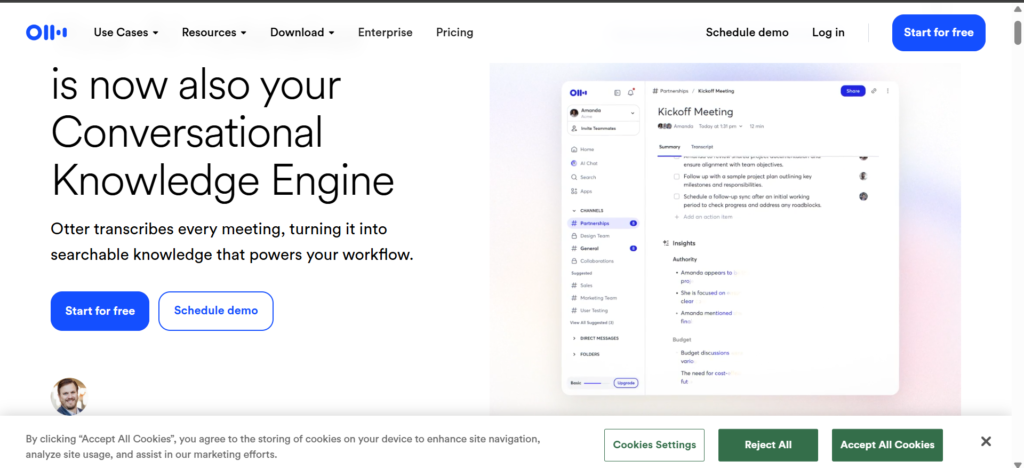
Otter AI is an AI-powered transcription tool that converts spoken conversations into text in real time. You open it, hit record during a meeting or call, and it automatically generates a written transcript as people talk.
Beyond just transcription, it also identifies different speakers, generates summaries, and lets you search through past conversations using keywords. If you want the technical specifics straight from the source, Otter.ai’s official site breaks down the latest features and plan options in detail. For anyone drowning in meetings, this Otter AI Review should make clear why that combination is such a genuine time-saver.
Why I Started Using Otter AI
Between client calls, team meetings, and the occasional interview for content research, I was spending way too much time afterward trying to reconstruct what was actually said. Half my notes were illegible, and I’d often miss key details entirely.
I wanted something that could handle the listening for me, so I could stay present in the actual conversation. Accuracy, ease of use, and how well it worked with the video call tools I already used were my three big expectations going in.
Getting Started with Otter AI Was Simple
Signing up took just a couple of minutes, using my email or an existing Google account. There was no complicated setup process, no downloads required for the basic web version.
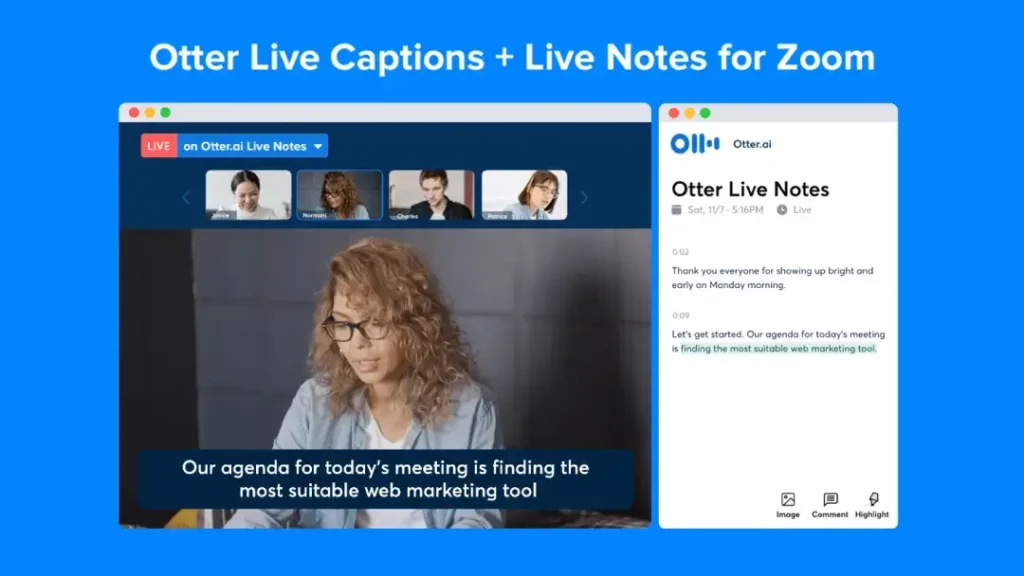
Once logged in, connecting it to my calendar and video call apps like Zoom and Google Meet was straightforward. Within minutes of finishing setup, I recorded my first test conversation and had a transcript ready almost instantly.
My First Impression of Otter AI
The interface felt clean and uncluttered, which mattered a lot given how overwhelmed I already felt juggling multiple work tools. Navigation was intuitive enough that I didn’t need to hunt around for basic features.
Transcription speed impressed me immediately. Text appeared on screen almost as fast as people were speaking, with only minor lag. Overall, my first session left me optimistic that this Otter AI Review was going to be a positive one.
How Otter AI Improved My Daily Workflow
Meetings stopped feeling like a memory test. I could actually focus on the conversation instead of splitting attention between listening and note-taking. Reviewing past discussions became faster since I could search instead of scroll.
Documentation, something I used to neglect entirely, became easier simply because a rough draft already existed in transcript form. I started referencing old transcripts when writing follow-up emails, pulling exact wording instead of relying on fuzzy memory of what was actually agreed on.
It also changed how I prepared for recurring meetings. Instead of trying to recall what was discussed last time from memory, I’d quickly search the previous transcript for context before jumping into the next call. Overall productivity noticeably improved, not because Otter AI did the thinking for me, but because it removed the busywork surrounding every conversation.
Otter AI Pricing
The free plan includes a reasonable number of monthly transcription minutes, which is genuinely useful for testing whether this fits your routine before committing financially.
The Pro plan expands monthly minutes significantly and unlocks more advanced features, which makes sense for anyone attending frequent meetings. The Business plan adds team collaboration features and centralized billing, built for larger teams managing multiple users.
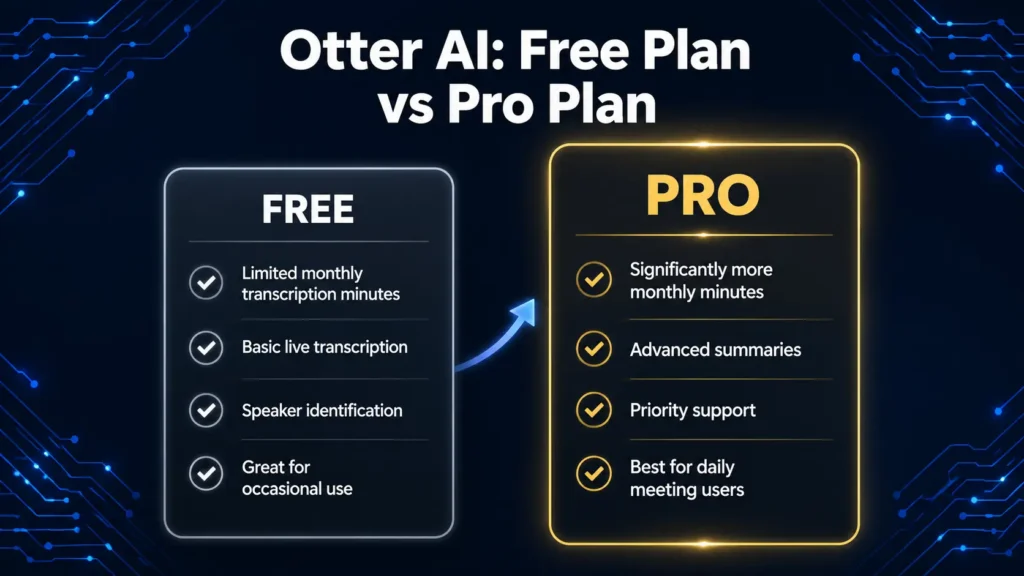
If you’re a student or occasional user, the free plan may be enough. For daily professional use, which is exactly how I tested it for this Otter AI Review, the Pro plan felt like the right fit.
Otter AI vs Other Transcription Tools
| Feature | Otter AI | Fireflies AI | Rev | Manual Notes |
|---|---|---|---|---|
| Speed | Real-time transcription | Real-time transcription | Faster with human review option | Depends on typing speed |
| Accuracy | High for clear audio | High for clear audio | Very high, human-reviewed option | Varies by note-taker |
| Speaker Labels | Automatic | Automatic | Automatic | Manual effort required |
| Searchability | Full transcript search | Full transcript search | Full transcript search | Difficult to search handwritten notes |
| Summaries | Automatic | Automatic | Limited on lower tiers | Manual summarization needed |
| Integration | Zoom, Meet, Teams | Zoom, Meet, Teams, Slack | Zoom, Meet | None |
| Free Plan | Yes, limited minutes | Yes, limited minutes | Limited free trial | N/A |
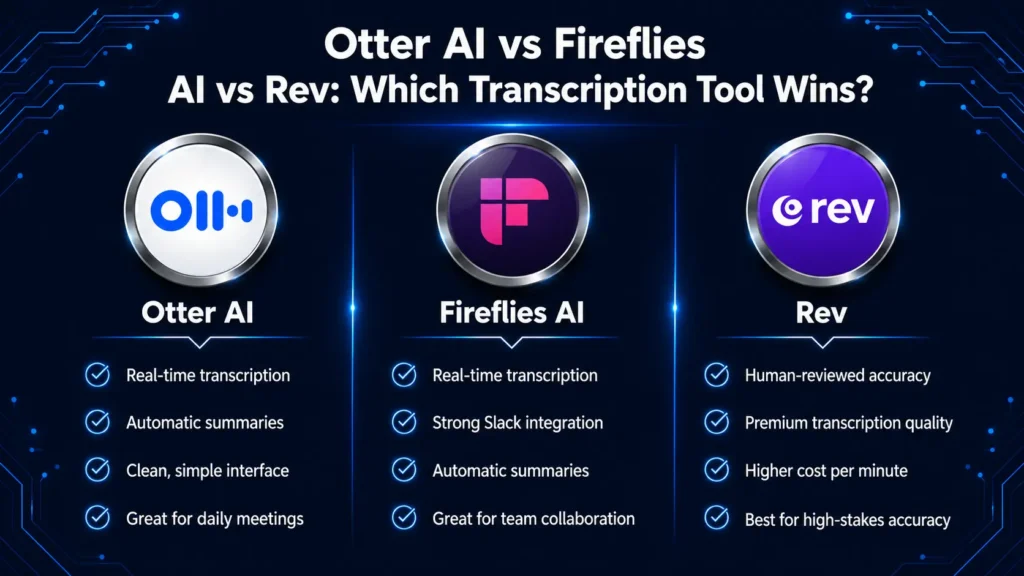
Compared to Fireflies AI, I found Otter AI’s interface a little cleaner for quick daily use, though Fireflies edges ahead slightly on Slack integration. Rev stands out if you need human-reviewed transcripts for higher-stakes accuracy, but it comes at a noticeably higher cost. Compared to just taking notes manually, all three tools save a meaningful amount of time for anyone attending regular meetings or calls.
Who Should Use Otter AI?
Professionals attending frequent meetings will find the biggest daily time savings. Students can use it to capture lecture content without missing details while trying to write everything down. Journalists and researchers benefit heavily from accurate interview transcripts and searchable archives.
Teams managing recurring calls will appreciate the collaboration features on higher-tier plans. Even freelancers juggling multiple client calls can benefit from having accurate records without manual note-taking slowing them down.
If your daily AI needs go beyond just meetings, into writing or research as well, it’s worth pairing a tool like this with something built for that side of the workflow. I cover exactly that kind of setup in my Claude AI for Beginners guide, where I walk through getting started with a more writing-focused AI assistant.
What I Liked Most About Otter AI
What impressed me most was how quickly it faded into the background of my workflow. I stopped thinking about note-taking entirely and just focused on the conversation itself, trusting that an accurate record was being created automatically.
The search feature became more valuable than I initially expected. Being able to type a keyword and instantly find the exact moment something was mentioned, weeks after the fact, turned out to be a genuine game-changer for how I follow up on past discussions.
A Few Small Things That Could Be Better
Accuracy dips noticeably in noisy environments or with heavy background chatter, which is worth keeping in mind if your meetings aren’t always in quiet settings. Speaker identification, while generally solid, occasionally mixes up voices that sound similar.
The free plan’s monthly minute limit can feel restrictive if you’re in back-to-back meetings most days, which pushed me toward the paid tier faster than I initially expected. I also noticed that heavily technical or jargon-filled conversations sometimes trip up the transcription accuracy slightly more than casual conversation does, which means a quick manual review is still worth doing for anything important.
Is Otter AI Worth It?
After weeks of daily use, my honest answer is yes. This Otter AI Review wouldn’t be complete without saying that it genuinely changed how I approach meetings and conversations I need to remember accurately.
It’s not flawless, but the minor limitations are far outweighed by the time saved and the mental relief of not having to manually capture everything myself. For the price, especially on the Pro plan, it delivers strong value for anyone attending regular meetings.
Conclusion
Wrapping up this Otter AI Review, I can honestly say it earned a permanent place in how I handle meetings and calls now. From the smooth setup to the genuinely useful transcription and summary features, it delivered on nearly everything I hoped for when I started testing it.
If you’re curious about other AI tools worth adding to your workflow, I’ve covered several more in my Top 10 AI Tools in 2026 roundup, along with dedicated write-ups on Claude AI for Beginners and the Best Way to Use ChatGPT in 2026 if you want to compare tools for writing and research alongside this one.
Based on my own weeks of daily use, this Otter AI Review reflects a tool I’d genuinely recommend to anyone tired of losing details in meetings they can’t fully focus on.
🔗 Explore More AI Tools Guides
Looking for more AI tools, tutorials, and honest reviews? Explore these hand-tested guides from AppProofed.